Game rating, measured
Rate every aspect
of every game.
One score can't tell you whether great writing carried clumsy controls, or a beautiful world was dull to play through. GamesMetric scores each part of a game on its own, and every score is optional, so you rate only what you care about.
One game, scored part by part
Every part of the game, scored on its own
Rate them all for a full breakdown, or score just Impact / Enjoyment for a quick verdict. Nothing is required.
Every game you've rated, at a glance
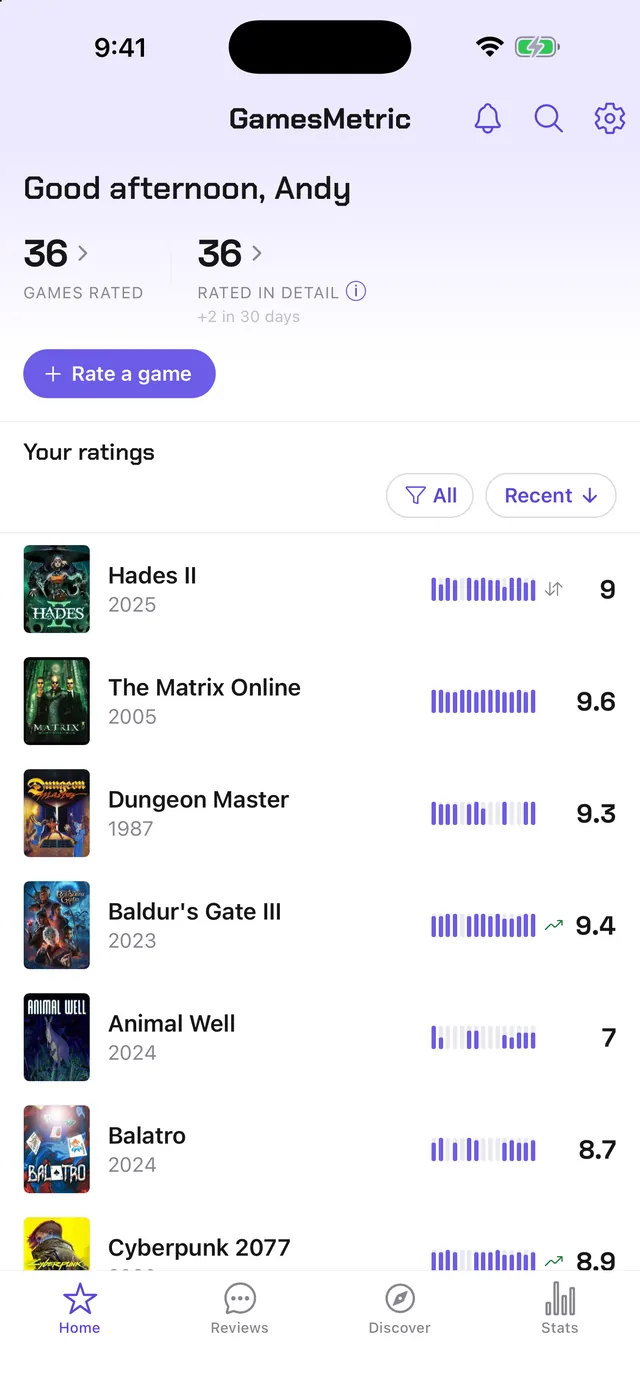
Home lists the games you've rated, each with your overall score and a bar for each category, so you can see why one 8 isn't like another.
Rate it one category at a time
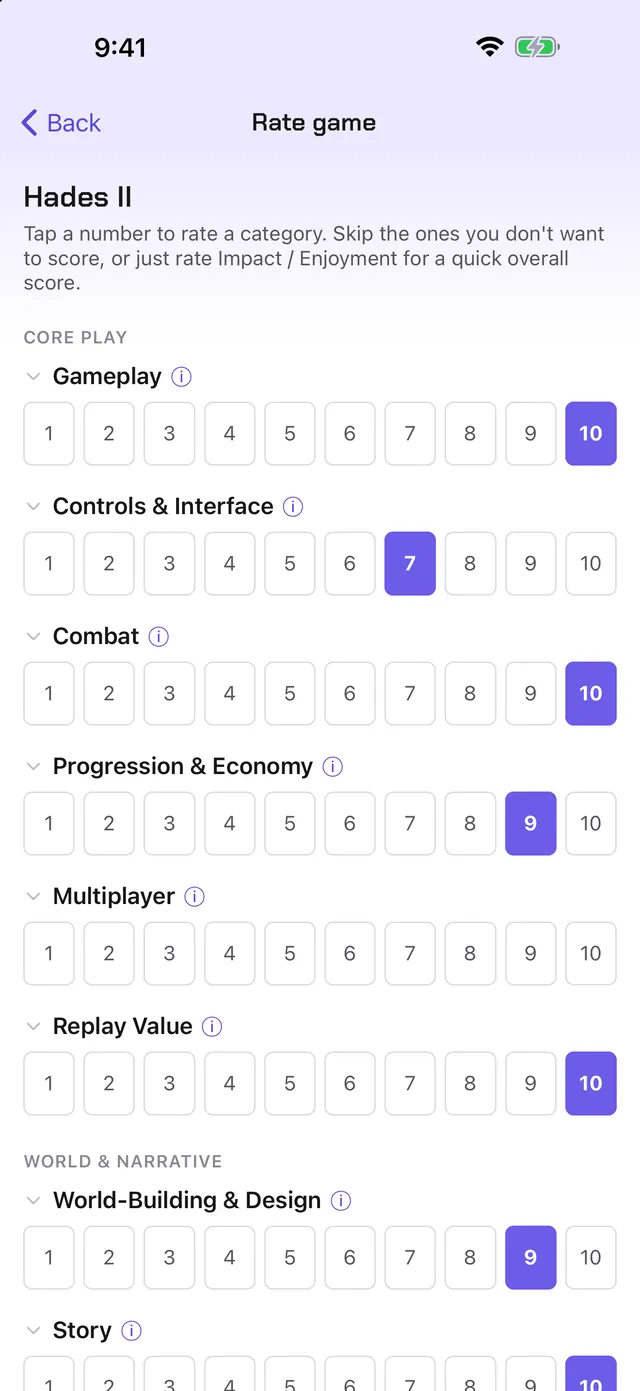
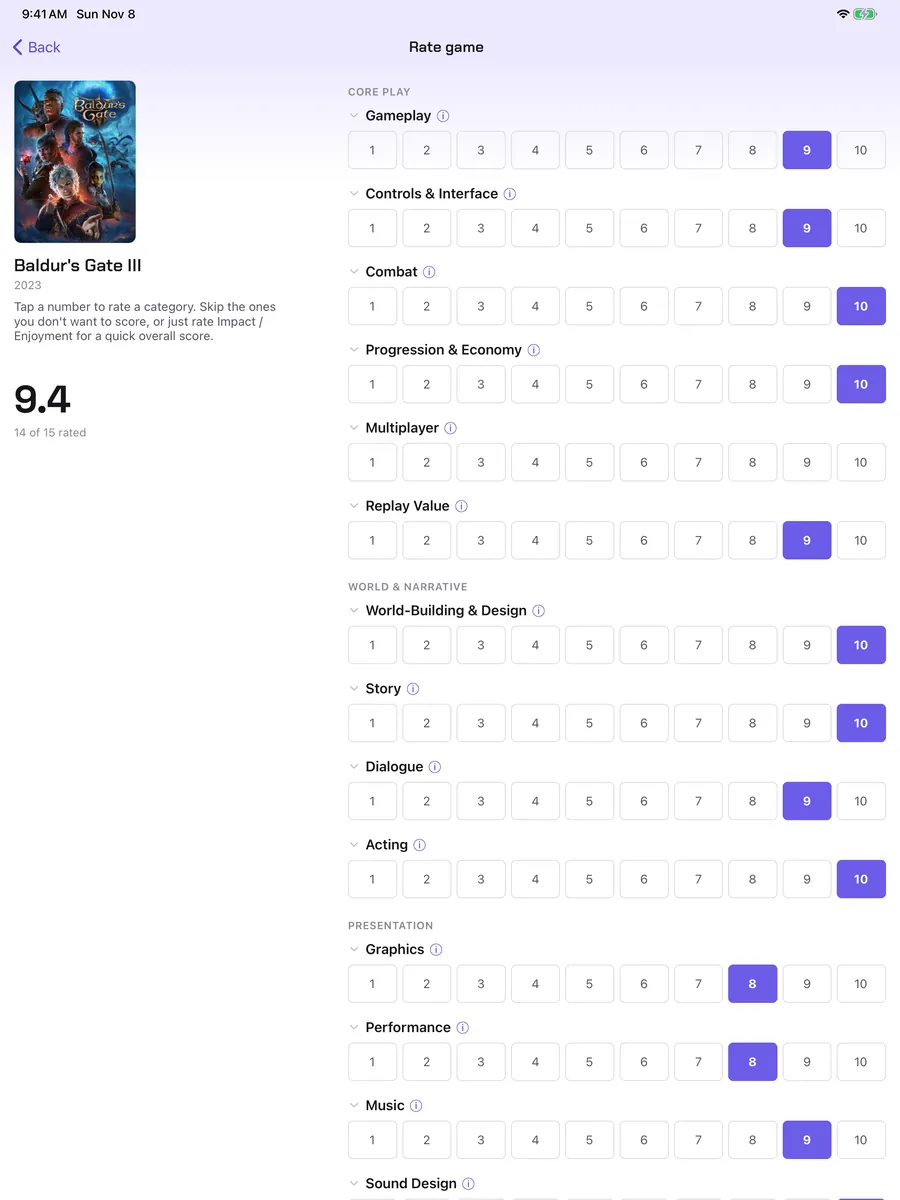
Score each category from 1 to 10, and skip the ones you have no view on. If you only want a verdict, rate Impact / Enjoyment on its own. Each rating also takes a private comment, and the date you played the game if you want to keep track.
Browse by score
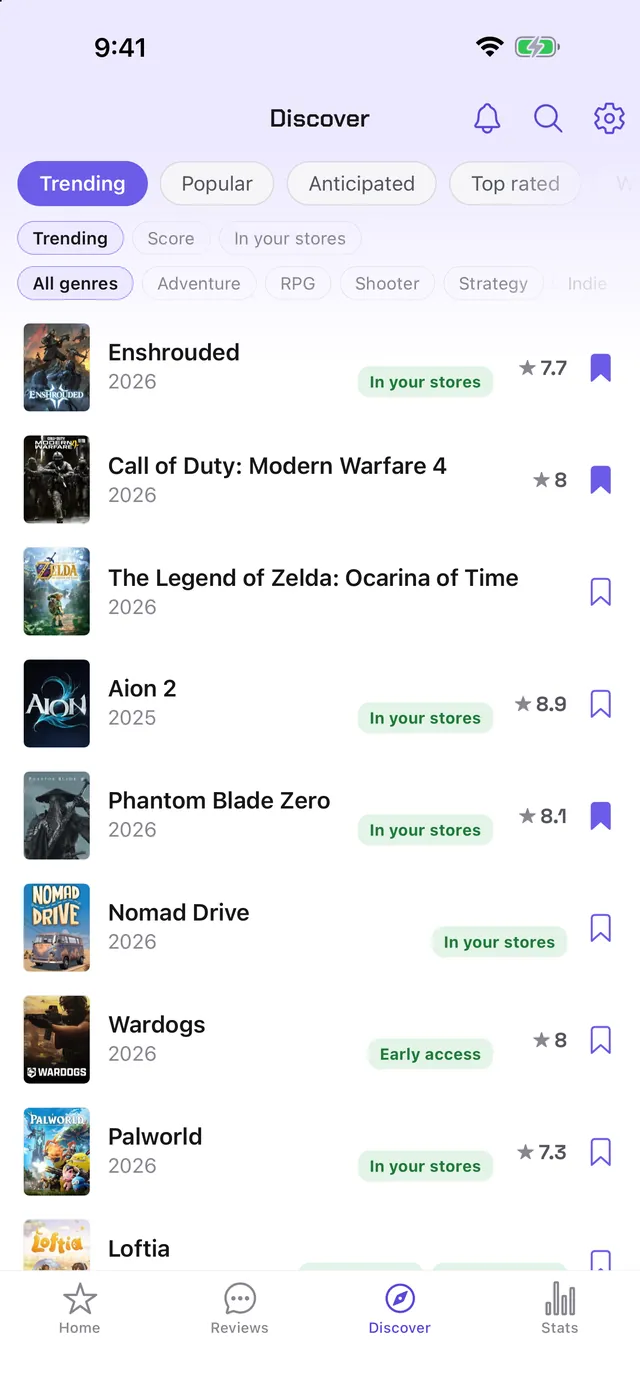
Trending, Popular, and Anticipated come from IGDB. Top rated ranks games by our users' category scores, or by IGDB's user ratings, and filters by genre and decade. Games still in early access carry a badge.
Your score next to everyone else's
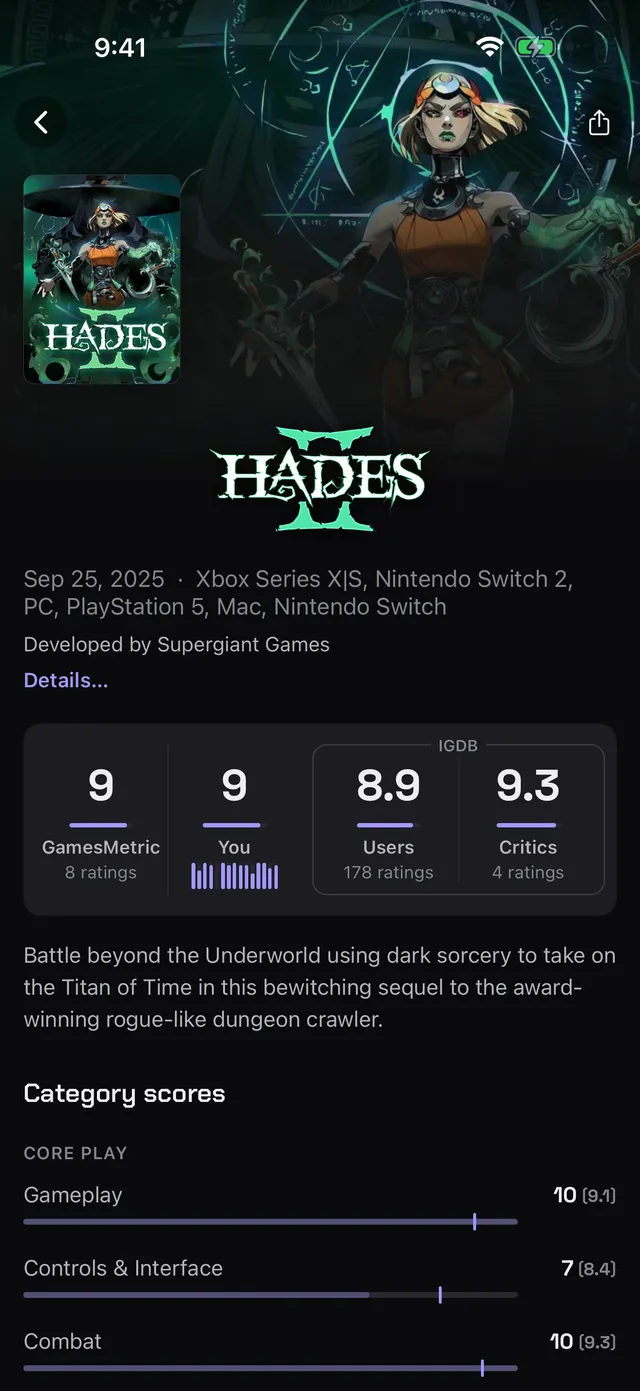
A game's page opens on its artwork, release date, platforms, and developer. Below that, your overall score sits next to GamesMetric's and to IGDB's user and critic scores, so you can see where you differ from other players.
Judge before you're swayed
A category's community average stays hidden until you've rated it yourself. Then it shows up small, in parentheses, next to your own. Form your opinion first.
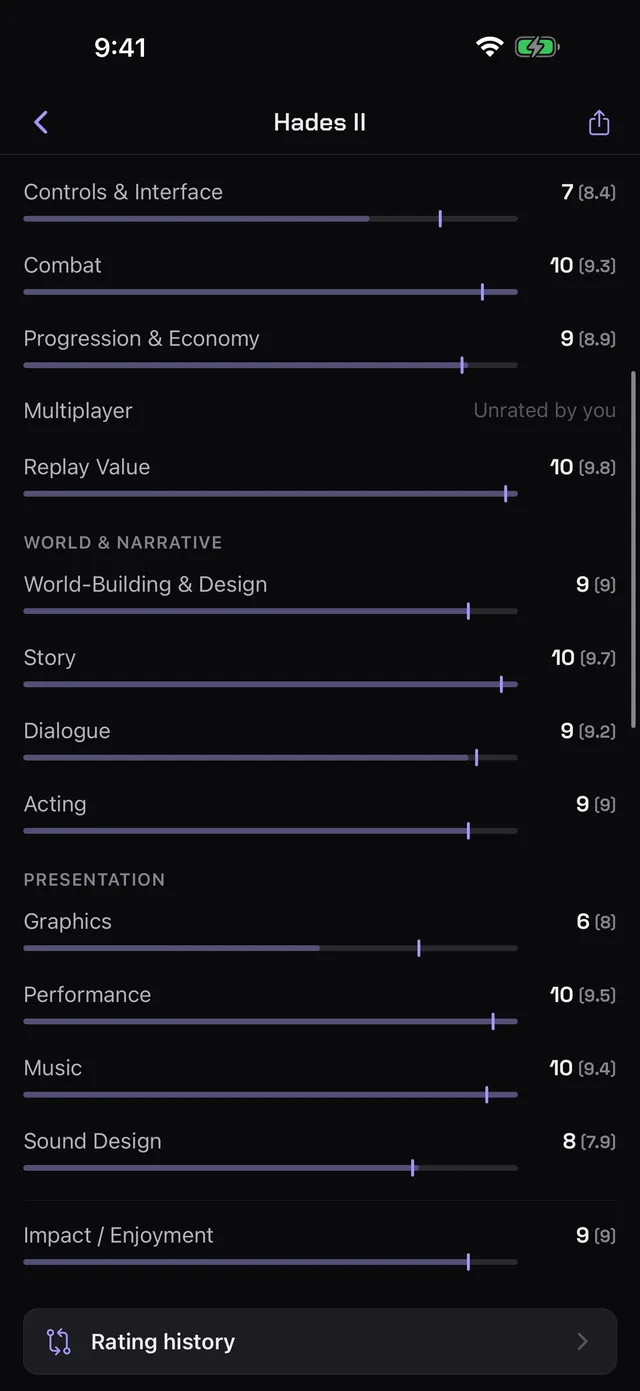
Want to play, with alerts PRO
Bookmark a game from Discover or from its page and it lands in Want to play. Games sold in your stores carry a badge, and a sale shows how much is off. With Pro, you get a notification when a game comes out, and another when it goes on sale in one of your stores.
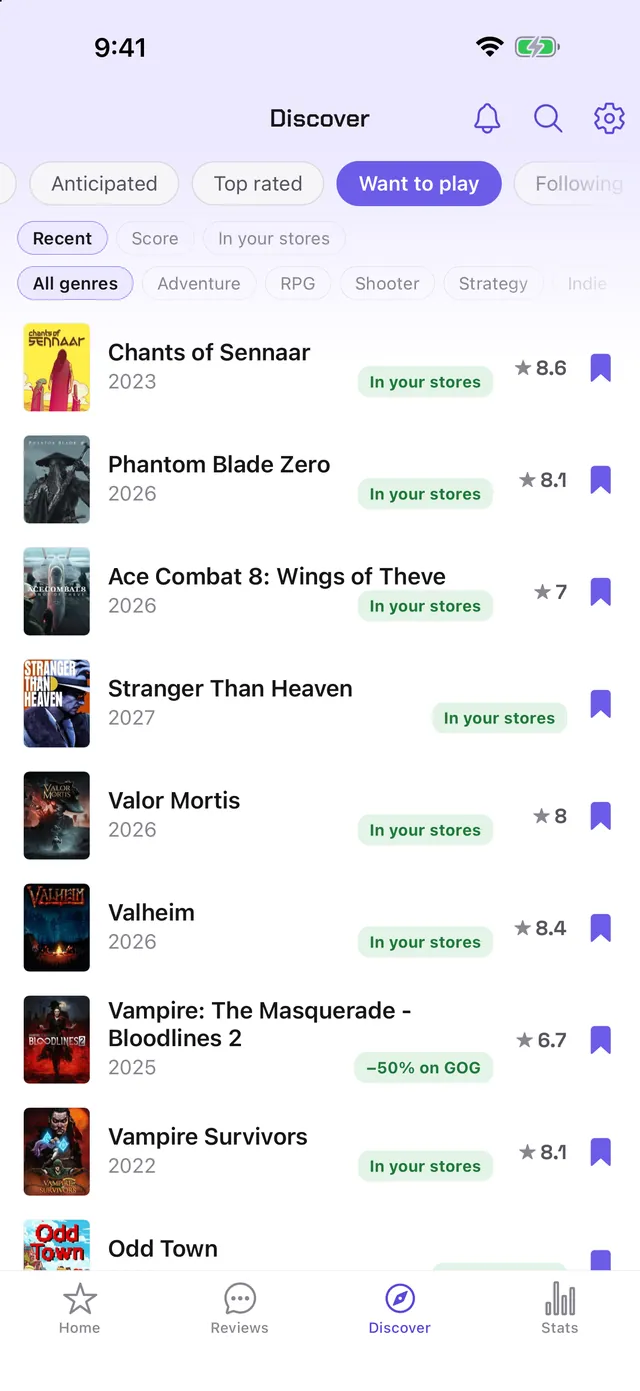
Find the best price
A game's page lists the stores that sell it, with the ones you picked in Settings first. Steam, GOG, and Epic Games show the current price in your country from IsThereAnyDeal: the discount, the date a sale ends, and the lowest price the game has ever had.
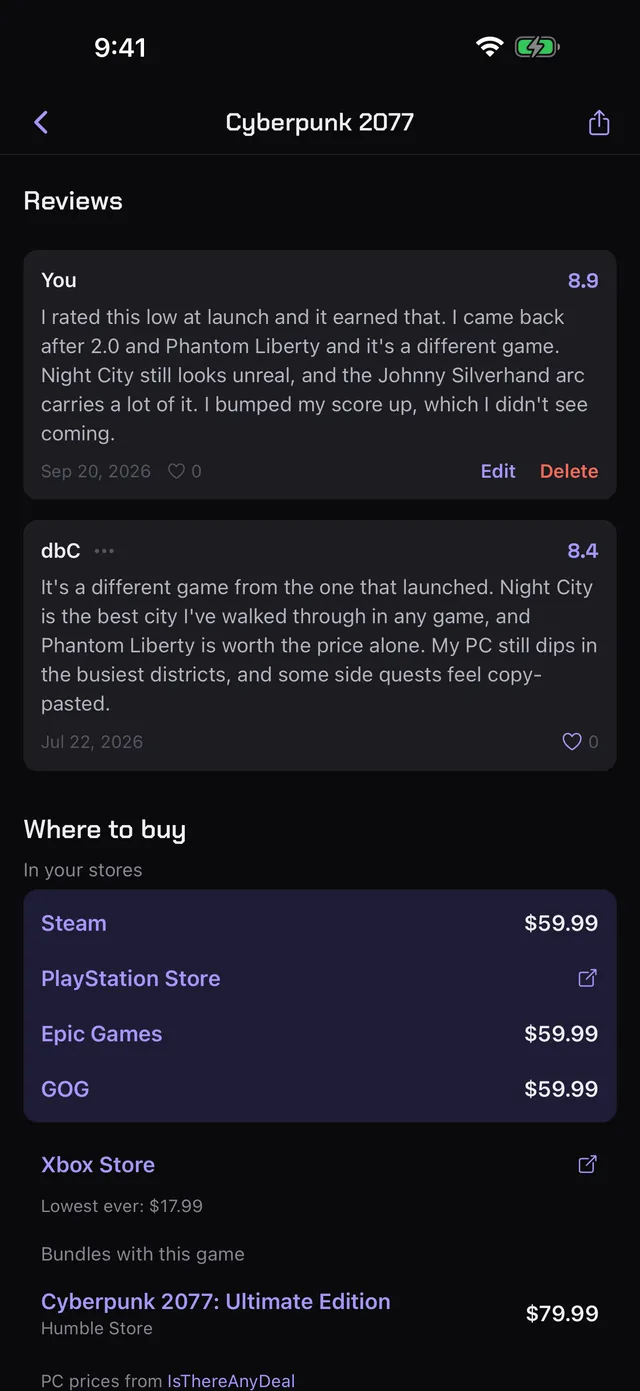
Share your rating
Send a card of any game you've rated: the artwork, your overall score, a bar for each category, and each category's score written out underneath. Or share your whole rating profile from the Stats tab.
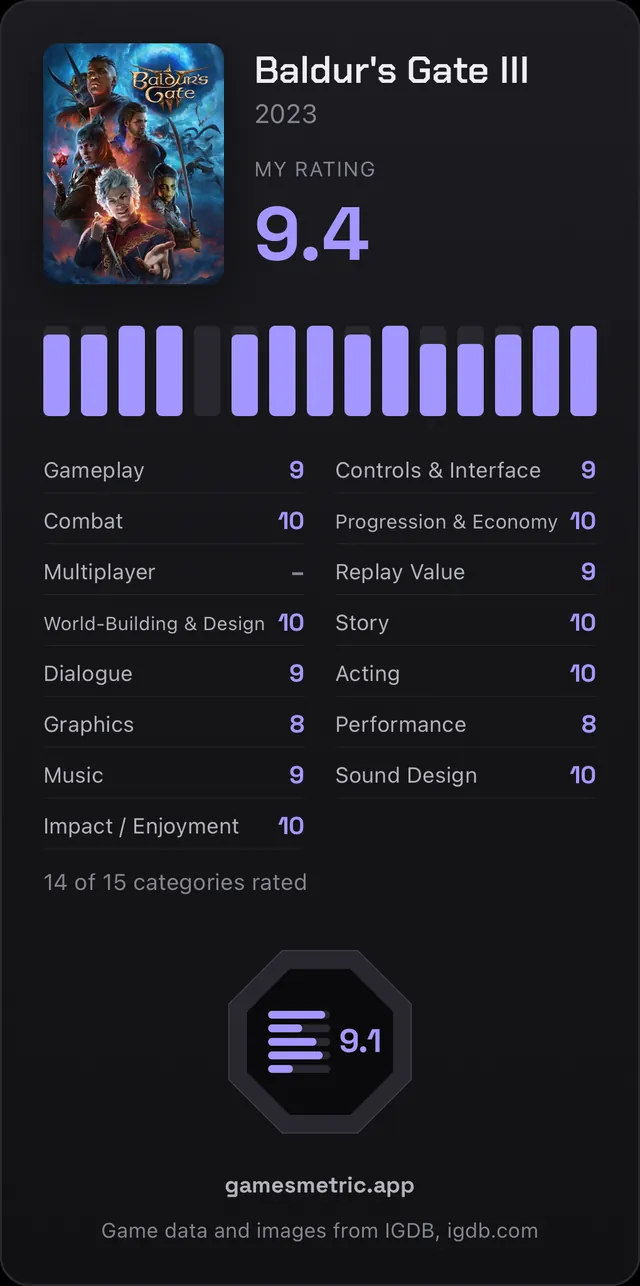
Follow a studio
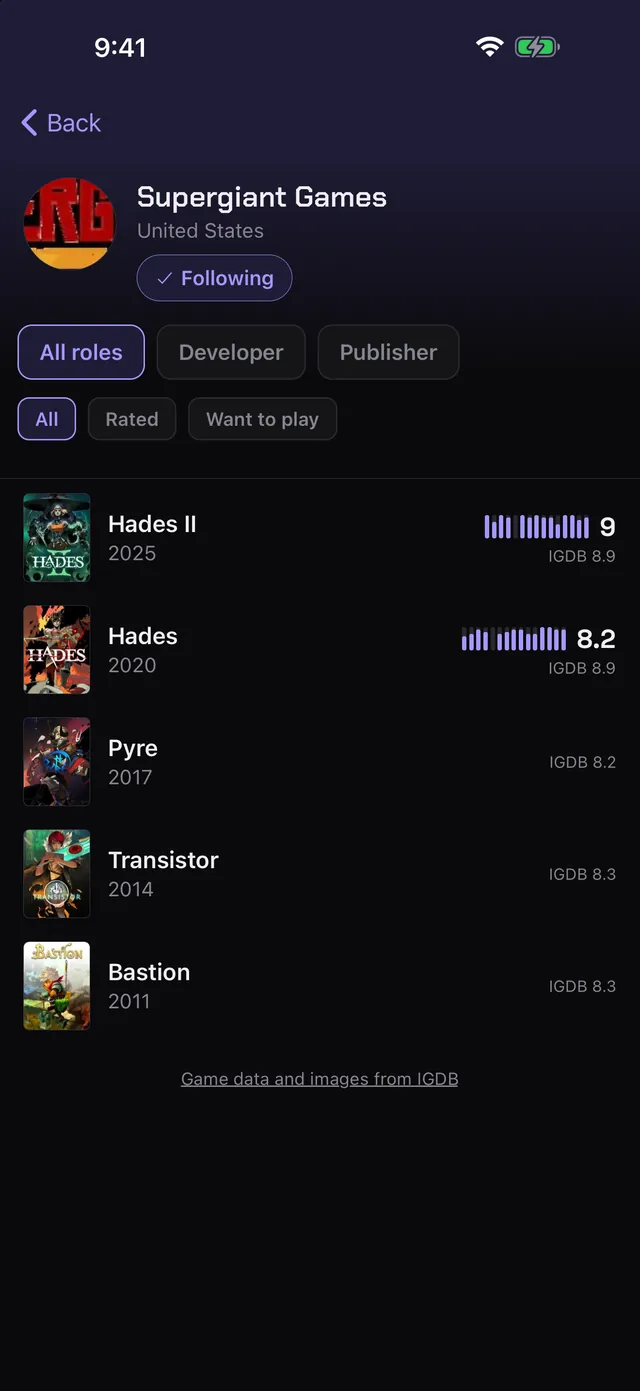
A game's Details list its studios. Tap one to see every game it made or published, then narrow it to what you've rated or saved. With Pro, follow a studio and you get a notification when it announces a game, and again when that game comes out. Discover's Following list shows every studio you follow.
What's coming out
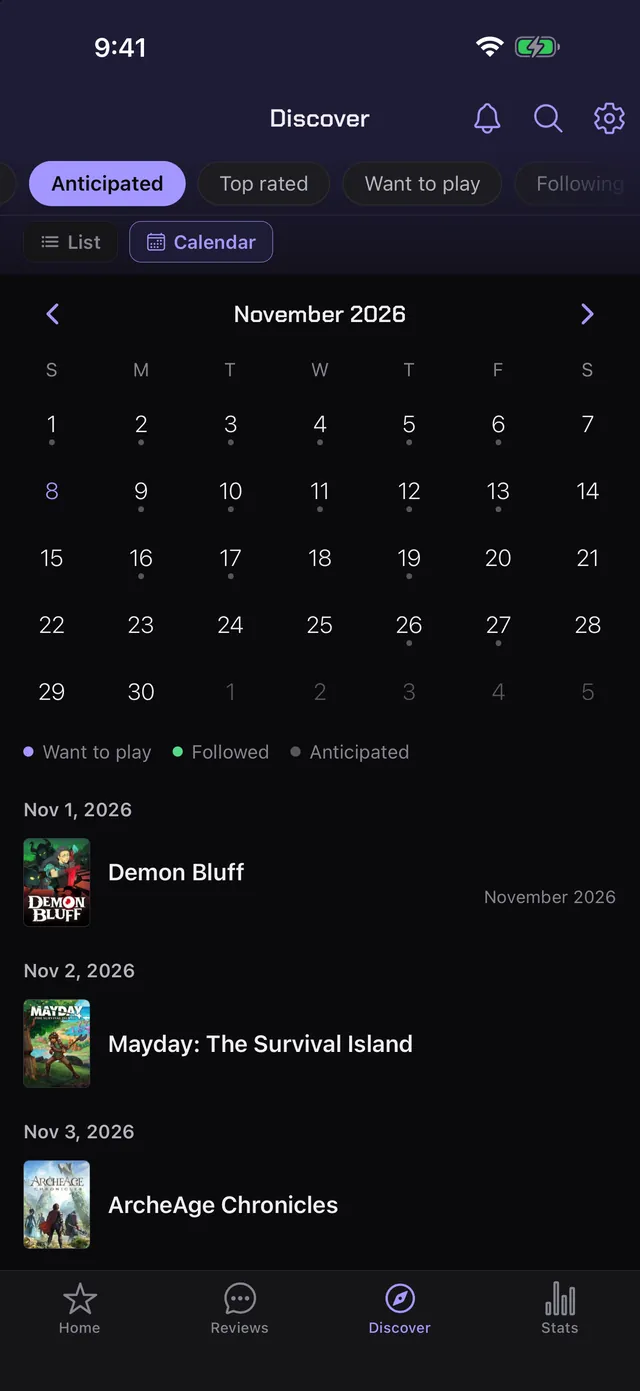
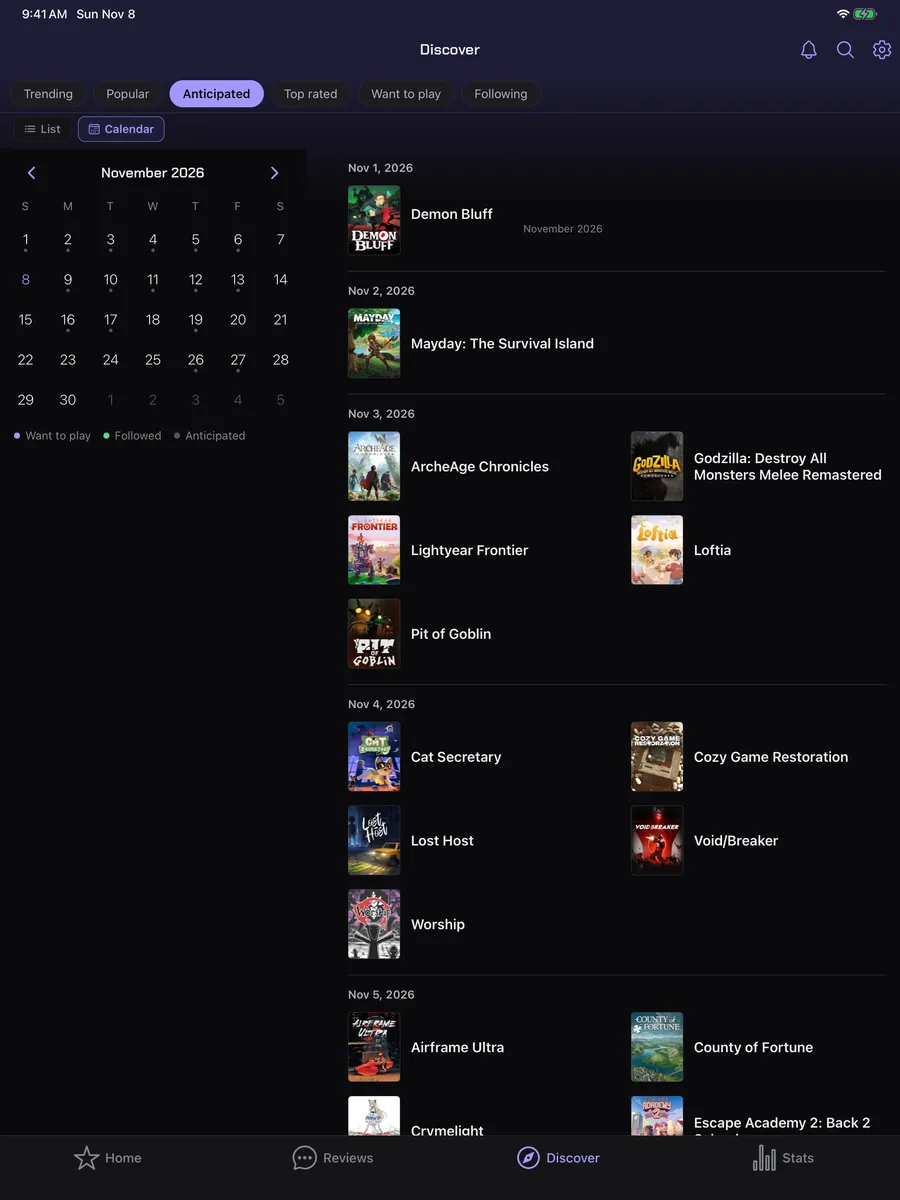
Discover's Anticipated list shows the most hyped upcoming games on IGDB. Switch to the calendar to see a month of releases at a time. With Pro, your Want to play games and the studios you follow show up on it too.
Your ratings, in charts
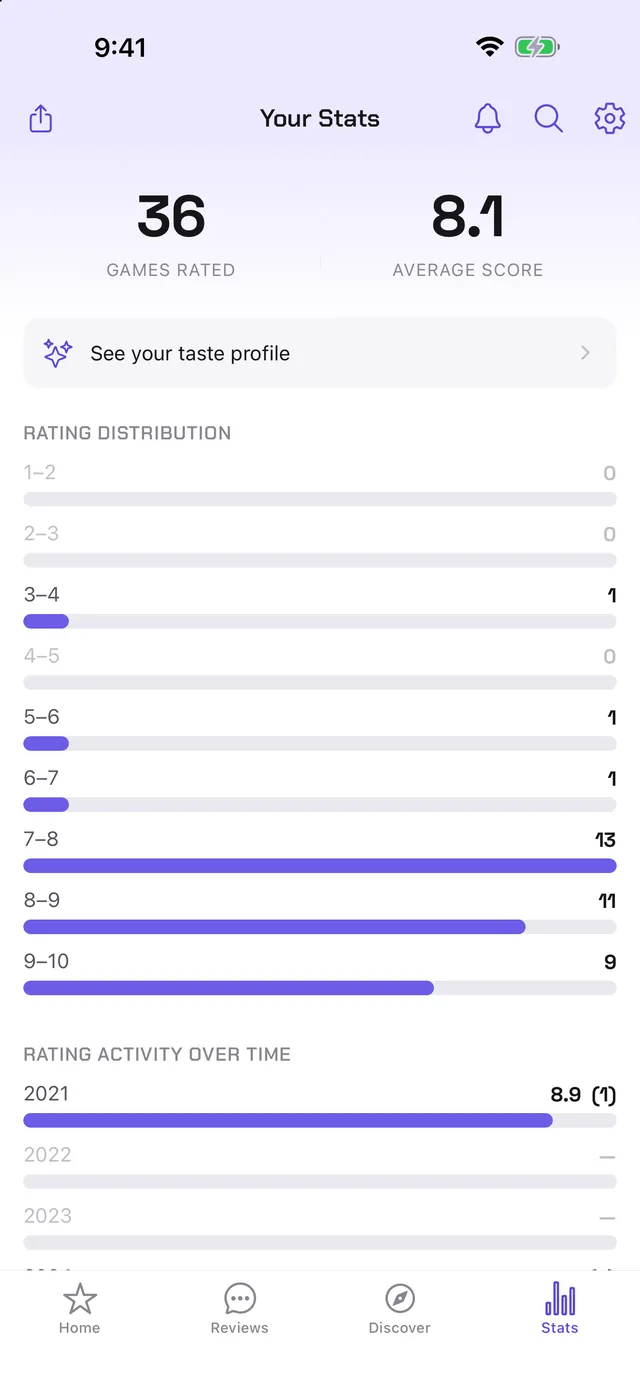
The Stats tab adds your ratings up: score distribution, your games by decade, the genres you rate most, your favorite studios, and your best and lowest-rated games.
What drives your enjoyment PRO
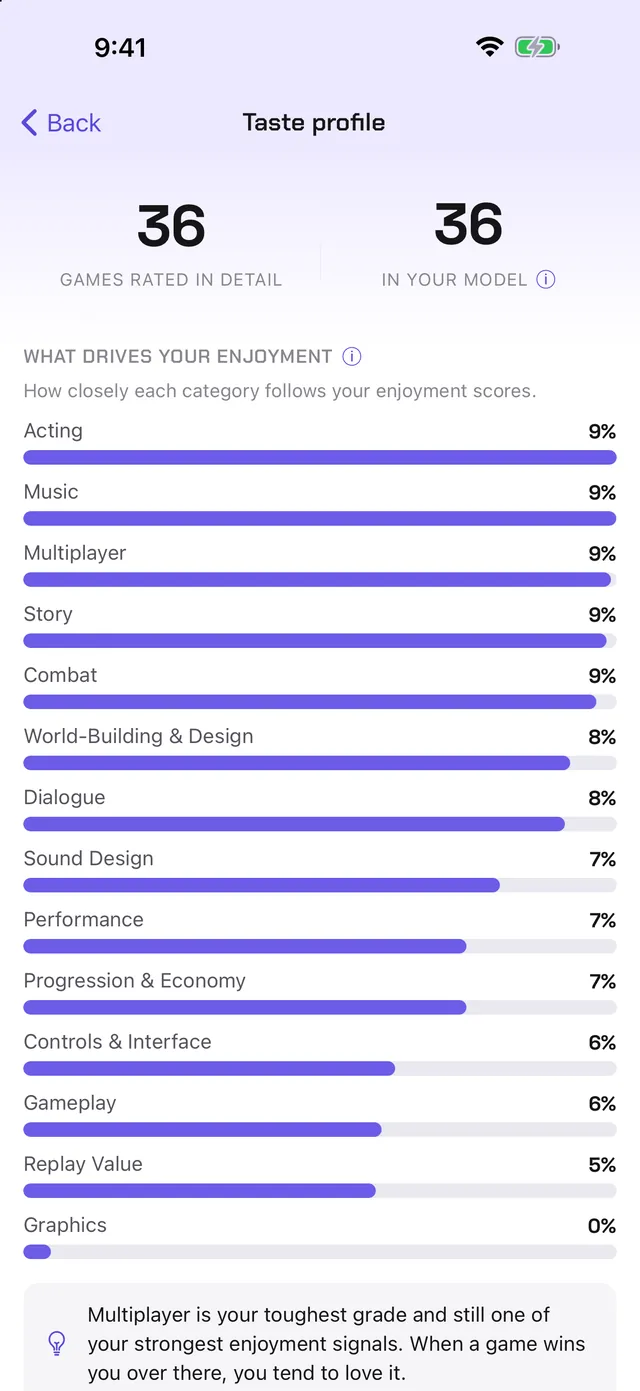
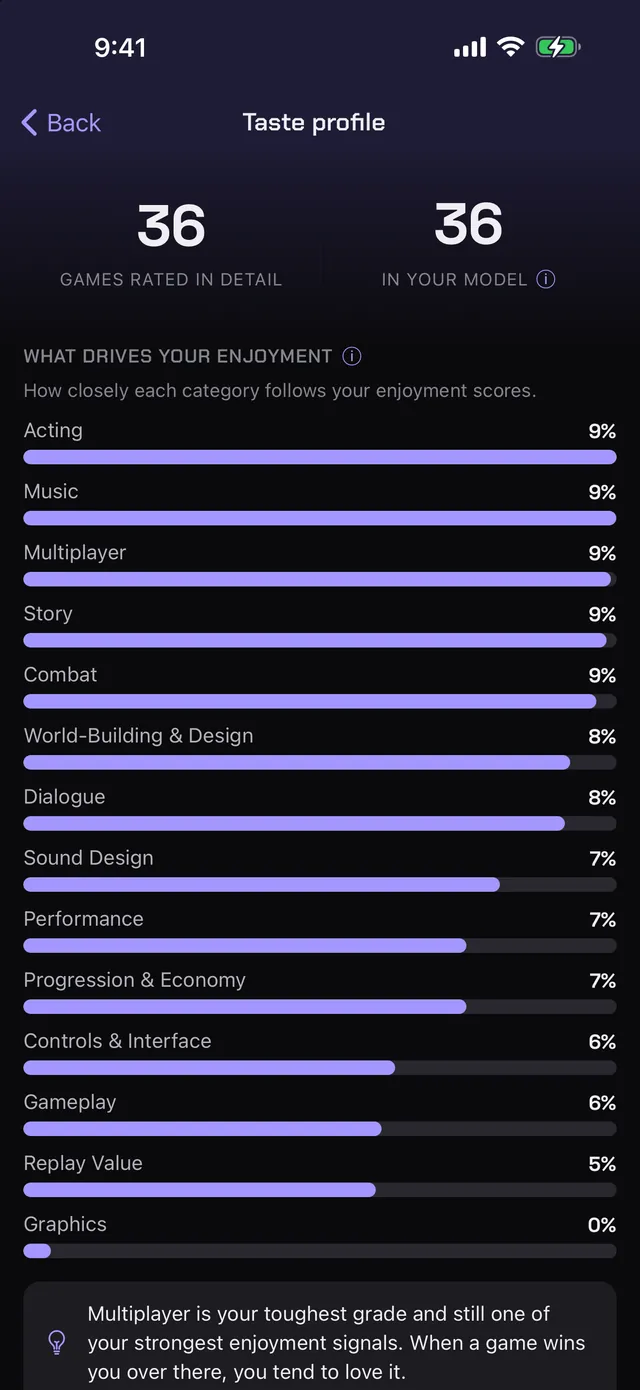
Your taste profile compares your category scores with how much you enjoyed each game, then works out which categories your enjoyment follows. It also shows how far your scores sit from IGDB's, and ranks your best games in each category.
Write and read reviews
Once you've rated a game and picked a username, you can post a public written review. A review runs to at least 300 characters, so it says something. Read what other players thought of the same game, and like the ones you found useful.
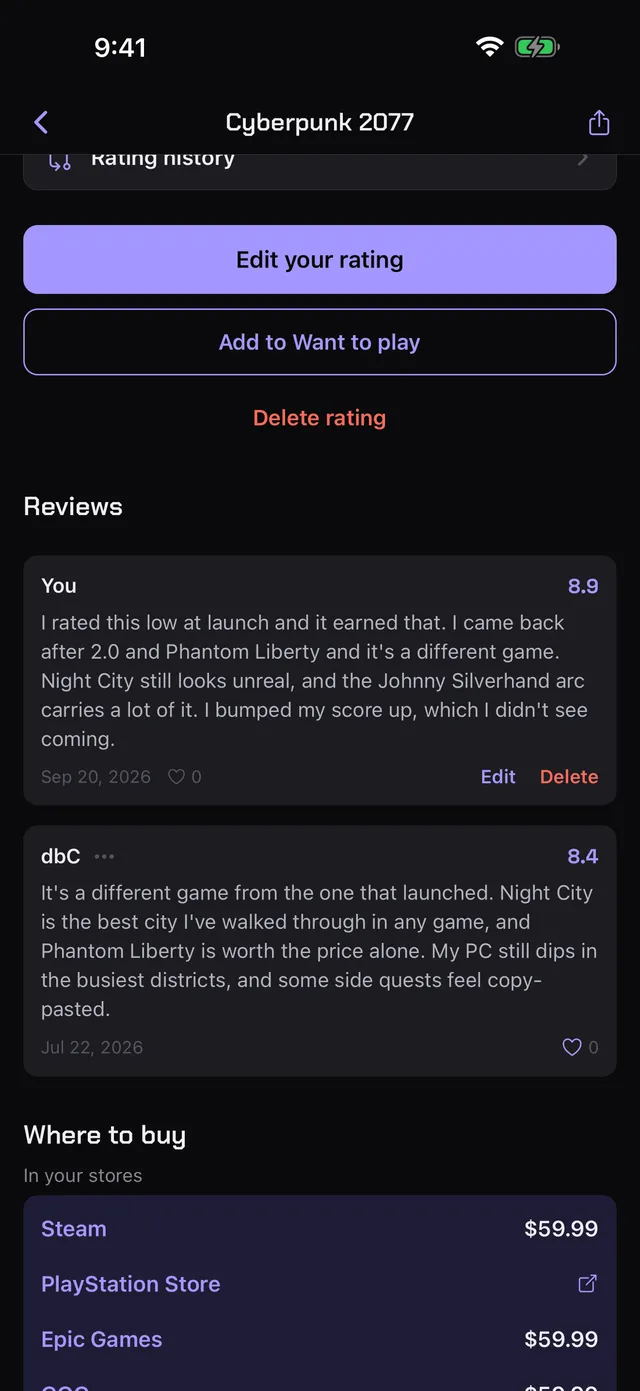
iPad and Android tablets
More room, fewer sheets
On a wide screen the app splits into columns, and the detail a phone keeps behind a sheet sits out in the open.
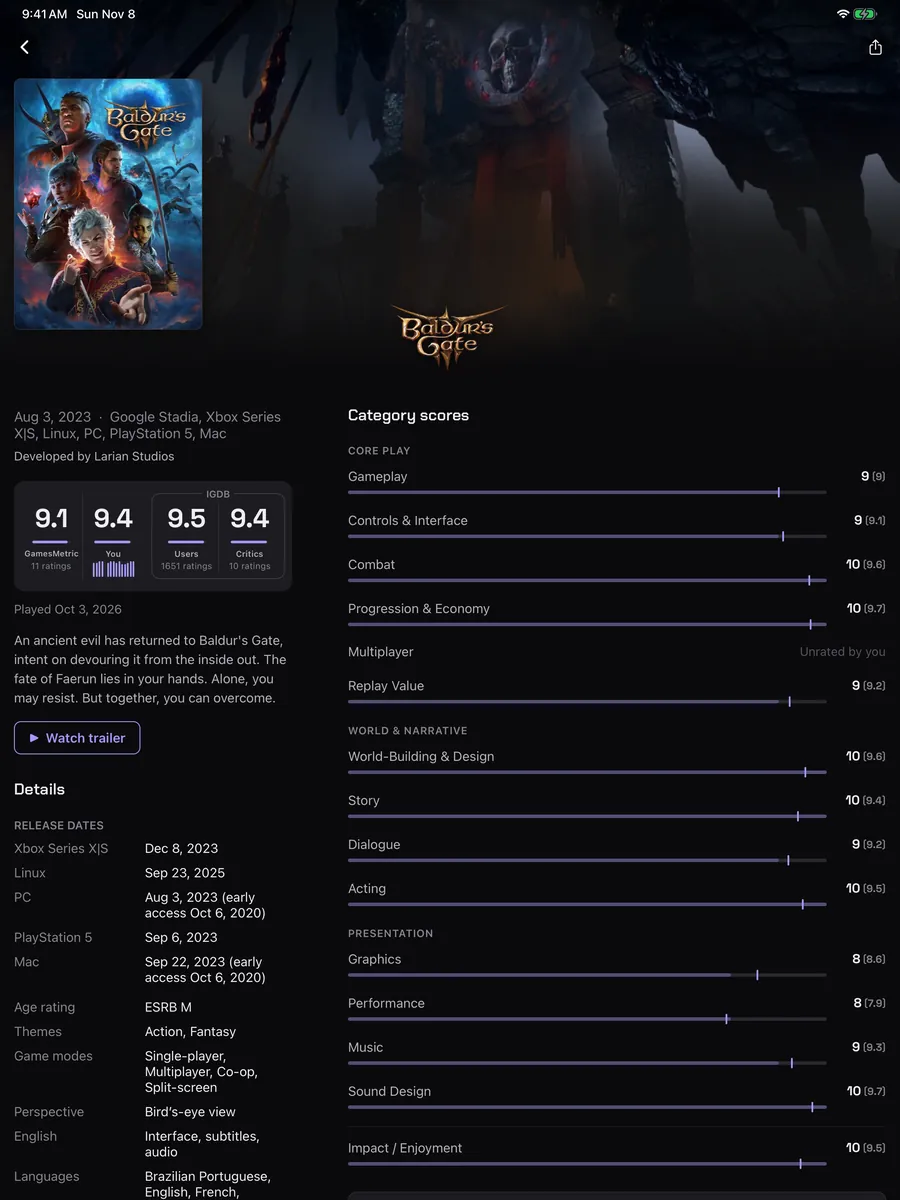
Everything on one page
A game's synopsis runs at full length, with its credits listed under it in the same column.
On a phone the credits sit behind a sheet. A wide screen has the room to show them outright, so it does.
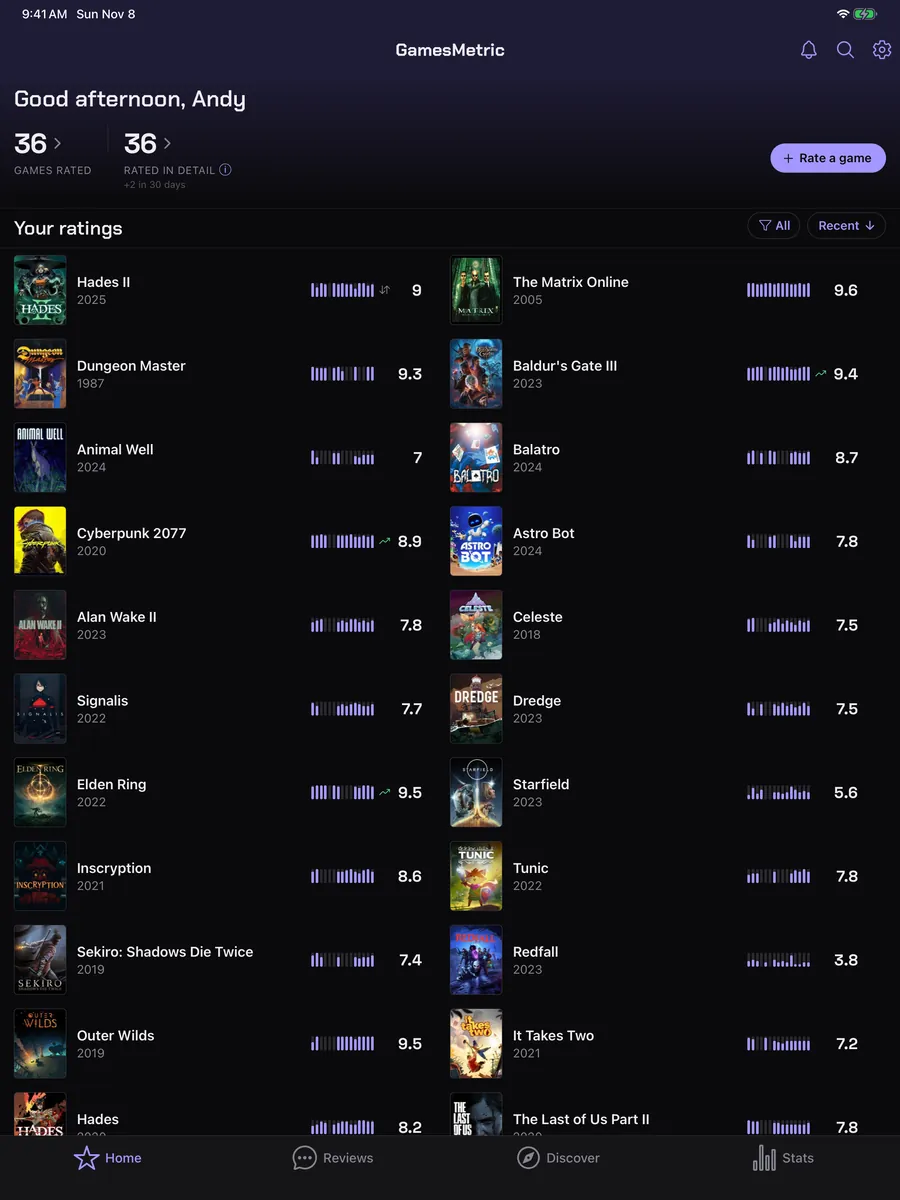
Two games to a row, then three
Your library tiles two across from 600 points up, and three across past 1200.
Every row keeps its score and its category bars at the size they read at on a phone.
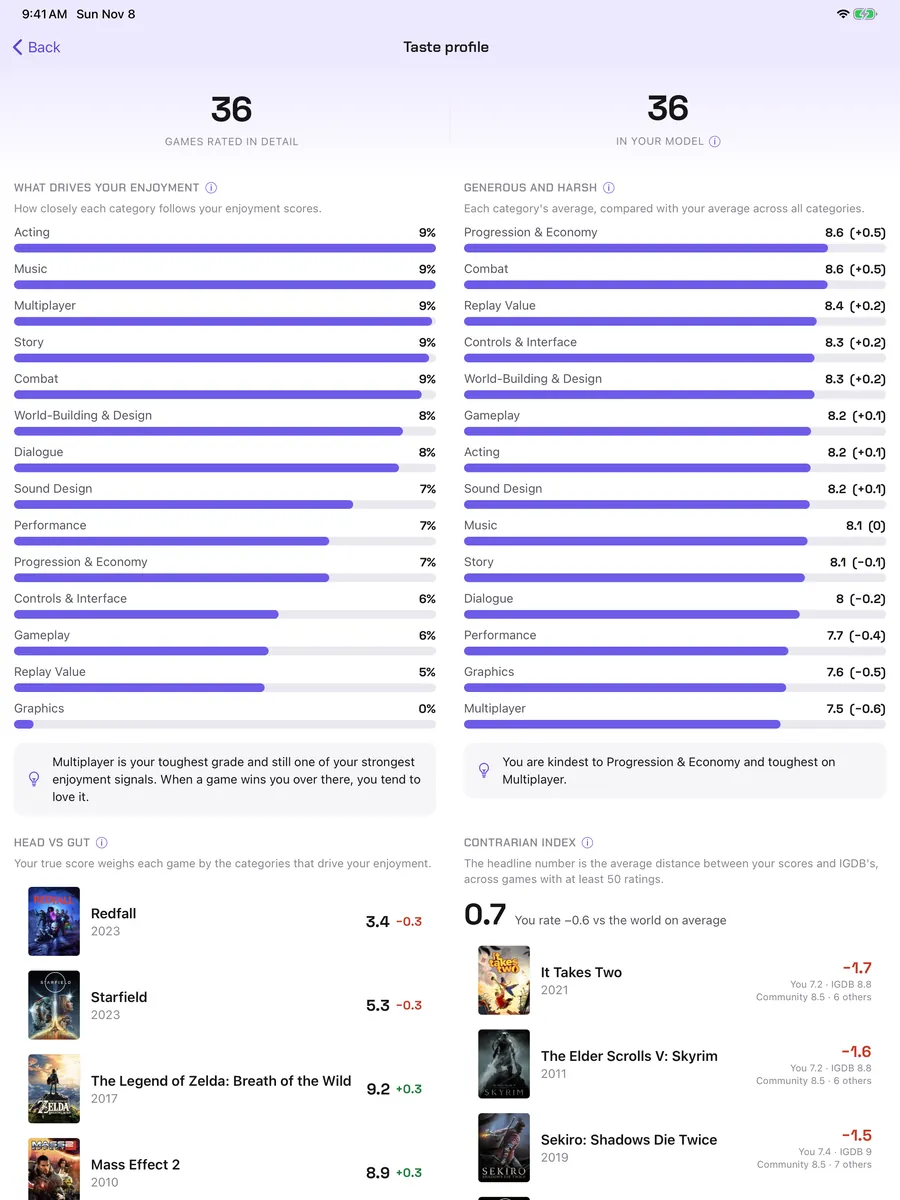
Metrics you can read against each other
The Stats charts and the taste profile pair two across. What drives your enjoyment sits next to how generously you grade each category, so you can read one against the other.
The whole month of releases
The release calendar puts the month's grid on the left and every game coming out that month on the right, two across.
Tap a day and that day's games show up under the grid.
Rate in two panes
The rating screen splits into two panes, so the game stays in view while you score it.
Every revision in one grid
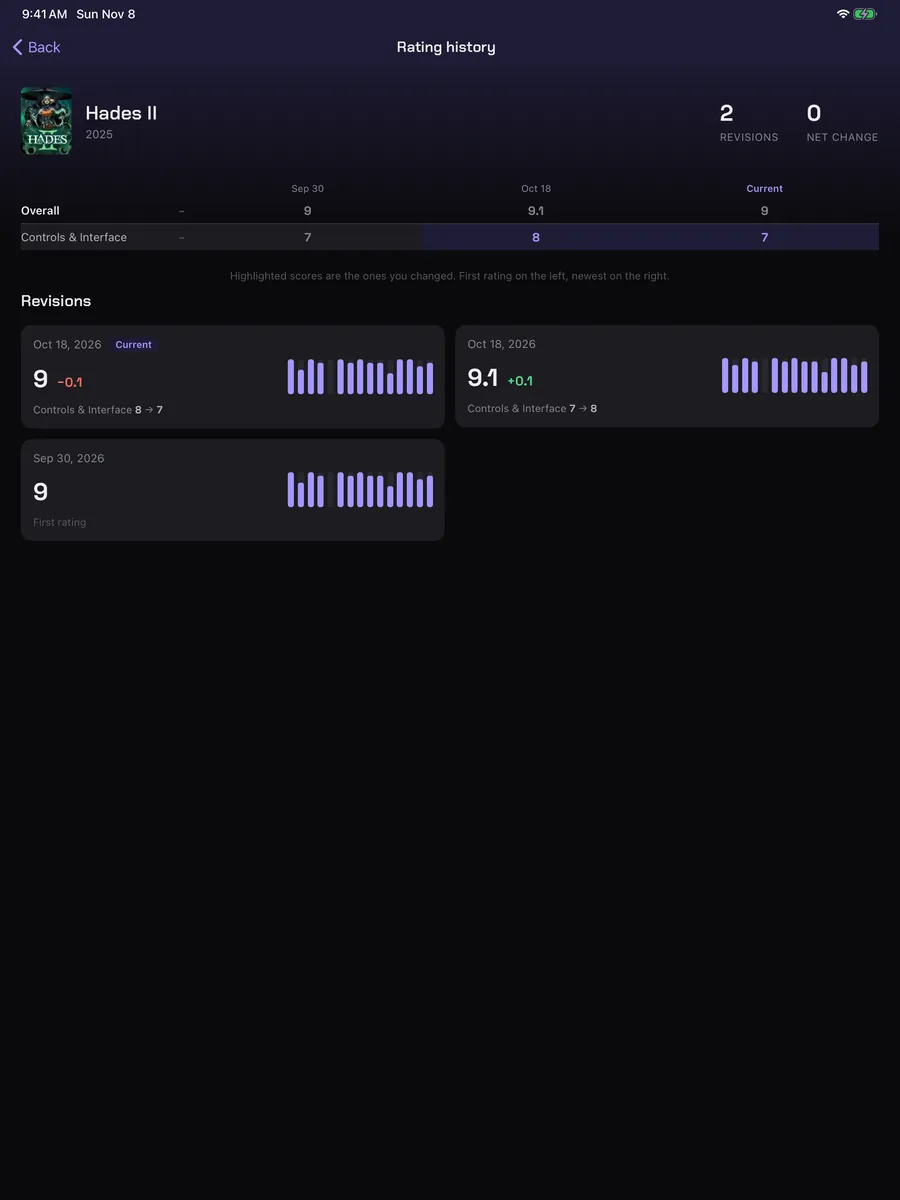
With Pro, rating history lays out each change you've made to a game's scores as a grid you can read across.
None of this asks what device you're holding. It goes by the width of the window: the panes split from 900 points wide, or 800 in portrait, and lists tile two across from 600. An Android tablet gets the same layouts, and so does an iPad running two apps side by side.
Make it yours
Five themes for the whole app
The theme you pick carries across every screen. Dark and Light are free; Cartridge, Blackout, and Console come with Pro.
GamesMetric Pro
One purchase. No subscription.
A launch price of $9.99, paid once. It stays yours, and everything not on this list is free.
- Your taste profile: which categories your enjoyment follows, and where you and IGDB disagree
- A notification when a game on your Want to play list comes out
- A notification when a game on your Want to play list goes on sale in your stores
- Follow studios and get a notification when they announce or release a game
- Rating history, so you can see how your score on a game changed and when
- The ten studios you score highest, rather than the top three
- Your best games in each category
- Your rating activity over time, and your biggest score changes on games you've re-rated
- Your Want to play games and the studios you follow, marked on the release calendar
- Sort your ratings by any single category
- An Alerts list with every alert from the last 90 days, and a count of the ones you haven't read
- Export everything you've rated as CSV or JSON
- The Cartridge, Blackout, and Console themes
Get GamesMetric
Start rating your games
Free on iPhone, iPad, Android, and Apple silicon Macs, in sixteen* languages.
* English, Norwegian, Swedish, Danish, Finnish, German, Dutch, French, Spanish, Italian, European Portuguese, Brazilian Portuguese, Polish, Japanese, Korean, and Traditional Chinese.